

Mastering JavaScript Async: A Comprehensive Guide to Promises, Async/Await, and API Integration
In the rapidly evolving landscape of web development, understanding how to handle operations that take time to complete is non-negotiable. JavaScript Async programming is the backbone of modern, interactive web applications. Whether you are building a real-time dashboard, a complex Weather App, or a background data processing tool, mastering asynchronous flows is essential for creating a smooth user experience.
JavaScript is, by nature, a single-threaded language. This means it has one call stack and one memory heap. If you execute a heavy computation or a network request synchronously, the browser freezes, blocking the user from interacting with the page until the task finishes. This “blocking” behavior is detrimental to Web Performance. To solve this, Modern JavaScript (ES6 and beyond) introduced robust mechanisms to handle asynchronous operations—tasks that run in the background without freezing the main thread.
In this comprehensive JavaScript Tutorial, we will journey through the evolution of async programming. We will move from the foundational concepts of callbacks to the elegance of Promises JavaScript, and finally to the syntactic sugar of Async Await. We will also implement practical examples involving the JavaScript DOM, JavaScript Fetch API, and error handling strategies, simulating real-world scenarios like fetching weather data or simulating email delivery systems.
Section 1: The Core Concepts of Asynchronous JavaScript
Before diving into syntax, it is crucial to understand the “Event Loop.” When you run JavaScript Functions, they are pushed onto the Call Stack. However, asynchronous features like setTimeout or fetch are handled by Web APIs (in browsers) or C++ APIs (in Node.js JavaScript). Once these background tasks complete, their callbacks are pushed to the Callback Queue, waiting for the Call Stack to clear. This architecture allows JavaScript to perform non-blocking I/O operations.
From Callbacks to Promises
Historically, developers relied on callbacks—functions passed as arguments to other functions to be executed later. While effective, nesting multiple callbacks led to “Callback Hell,” making code unreadable and hard to debug. JavaScript ES6 revolutionized this with the introduction of Promises.
A Promise is an object representing the eventual completion or failure of an asynchronous operation. It exists in one of three states:
- Pending: The initial state; neither fulfilled nor rejected.
- Fulfilled: The operation completed successfully (resolved).
- Rejected: The operation failed (rejected).
Let’s look at how to create a basic utility function that simulates a network delay using a Promise. This is a fundamental pattern used in JavaScript Testing and mocking APIs.
/**
 * Simulates a network delay using Promises.
 * @param {number} ms - The number of milliseconds to wait.
 * @returns {Promise<string>}
 */
const delay = (ms) => {
    return new Promise((resolve, reject) => {
        if (ms < 0) {
            reject(new Error("Time cannot be negative"));
        } else {
            setTimeout(() => {
                resolve(`Waited for ${ms} milliseconds`);
            }, ms);
        }
    });
};

// Consuming the Promise using .then() and .catch()
console.log("Start timer...");

delay(2000)
    .then((message) => {
        console.log("Success:", message);
        // Chaining another async operation
        return delay(1000);
    })
    .then((message) => {
        console.log("Second timer done:", message);
    })
    .catch((error) => {
        console.error("Error:", error);
    });
In the code above, we avoid deep nesting by “chaining” promises. This pattern is foundational for handling REST API JavaScript calls where one request depends on the result of another.
Section 2: Modern Implementation with Async/Await and Fetch
While Promises improved readability, JavaScript ES2017 introduced async and await, which allow us to write asynchronous code that looks and behaves like synchronous code. This makes logic flow much easier to follow, especially for developers coming from languages like Python or Java.
Fetching Data from an API
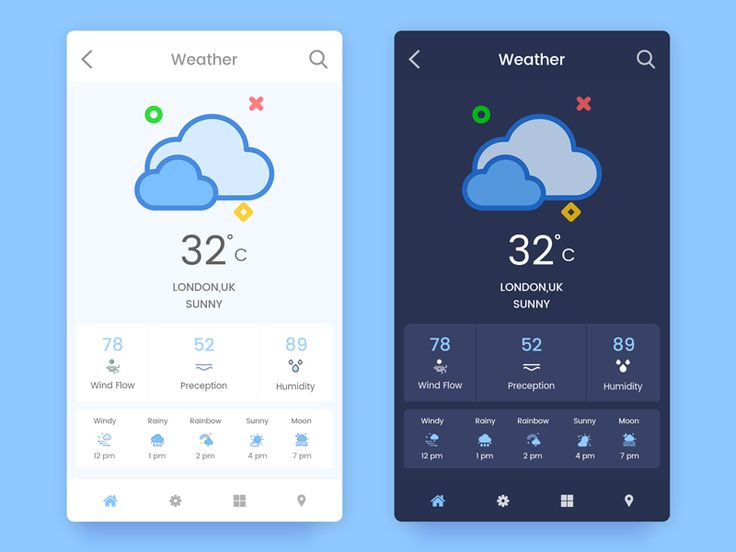
The most common use case for async JavaScript is fetching data from a server. The JavaScript Fetch API provides a powerful interface for accessing and manipulating parts of the HTTP pipeline. When combined with async/await, handling JavaScript JSON data becomes trivial.
Below is a practical example of a function designed to fetch user data. This mimics the backend logic you might find in a MERN Stack application or a Next.js project.
/**
 * Fetches user data from a public API.
 * Uses Async/Await for cleaner syntax.
 */
async function fetchUserData(userId) {
    const apiUrl = `https://jsonplaceholder.typicode.com/users/${userId}`;

    try {
        // The await keyword pauses execution until the fetch Promise resolves
        const response = await fetch(apiUrl);

        // Check if the response status is OK (200-299)
        if (!response.ok) {
            throw new Error(`HTTP Error! Status: ${response.status}`);
        }

        // Parse the JSON body
        const userData = await response.json();

        return userData;

    } catch (error) {
        // Handle network errors or JSON parsing errors
        console.error("Failed to fetch user:", error.message);
        return null;
    }
}

// executing the async function
(async () => {
    console.log("Fetching data...");
    const user = await fetchUserData(1);

    if (user) {
        console.log(`User Found: ${user.name} (${user.email})`);
    }
})();
This pattern includes try...catch blocks, which are essential for JavaScript Best Practices. Without error handling, a failed network request could crash your application logic or leave the user staring at a blank screen.
Section 3: Interacting with the DOM and Building Real Features
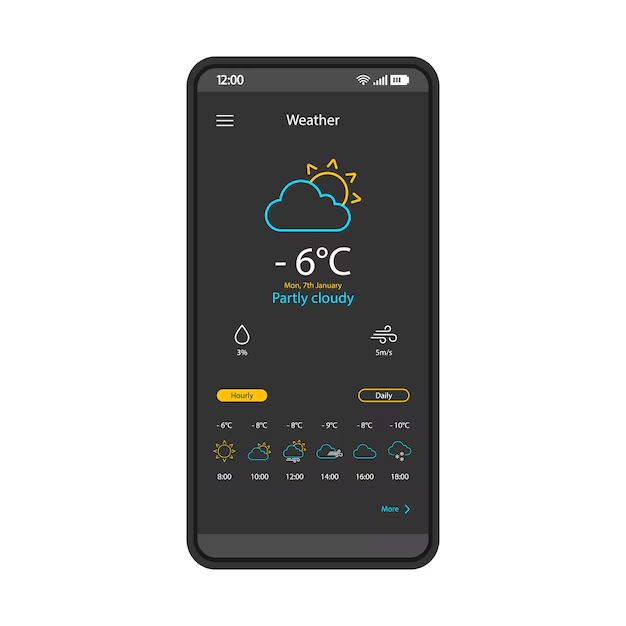
Theory is useful, but JavaScript Async shines when applied to the JavaScript DOM. Let’s build a functional component of a Weather App. We will create a system that accepts a city name, fetches weather data (simulated here), and updates the UI dynamically without reloading the page. This is the core concept behind AJAX JavaScript and Single Page Applications (SPAs) built with React Tutorial or Vue.js Tutorial principles.
Practical Example: Weather Widget Logic
In this example, we will simulate an API call to get weather data and update the HTML elements. We will also handle the “loading” state, which is vital for good UX.
// HTML Structure assumed:
// <input type="text" id="cityInput" placeholder="Enter city">
// <button id="getWeatherBtn">Get Weather</button>
// <div id="weatherResult"></div>

const getWeatherBtn = document.getElementById('getWeatherBtn');
const cityInput = document.getElementById('cityInput');
const resultDiv = document.getElementById('weatherResult');

// Simulated Weather API Call
const fetchWeather = async (city) => {
    // Simulate network delay
    await new Promise(resolve => setTimeout(resolve, 1500));

    const mockDatabase = {
        "London": { temp: 15, condition: "Cloudy" },
        "New York": { temp: 22, condition: "Sunny" },
        "Tokyo": { temp: 19, condition: "Rainy" }
    };

    const data = mockDatabase[city];

    if (!data) {
        throw new Error("City not found in database");
    }

    return data;
};

// Event Listener for the button
getWeatherBtn.addEventListener('click', async () => {
    const city = cityInput.value.trim();

    if (!city) {
        alert("Please enter a city name");
        return;
    }

    // UI: Set Loading State
    resultDiv.innerHTML = '<p>Loading weather data...</p>';
    getWeatherBtn.disabled = true;

    try {
        // Await the asynchronous data
        const weather = await fetchWeather(city);

        // UI: Update with Data
        resultDiv.innerHTML = `
            <div class="weather-card">
                <h3>${city}</h3>
                <p>Temperature: <strong>${weather.temp}°C</strong></p>
                <p>Condition: ${weather.condition}</p>
            </div>
        `;
    } catch (error) {
        // UI: Handle Error
        resultDiv.innerHTML = `<p style="color: red;">Error: ${error.message}</p>`;
    } finally {
        // UI: Reset Button State (runs regardless of success/failure)
        getWeatherBtn.disabled = false;
    }
});
This code demonstrates the interaction between JavaScript Events and async logic. The finally block is particularly useful for cleaning up UI states, such as re-enabling buttons or hiding loading spinners, ensuring the interface never gets stuck.
Section 4: Advanced Techniques and Parallel Execution
In complex applications, you often need to perform multiple asynchronous operations simultaneously. For instance, imagine an email dashboard where you need to fetch the user’s profile, their inbox list, and their notification settings all at once. Running these sequentially (one after another) is inefficient and hurts JavaScript Performance.
Using Promise.all for Concurrency
Promise.all accepts an array of Promises and returns a single Promise that resolves when all of the input Promises have resolved. If any input Promise rejects, the entire batch rejects immediately. This is excellent for dependent data fetching.
Let’s simulate a scenario where we are sending a batch of emails (dummy email-sending app logic) and fetching a confirmation log simultaneously.
const sendEmail = async (recipient) => {
    const time = Math.floor(Math.random() * 2000) + 500;
    await new Promise(resolve => setTimeout(resolve, time));
    return `Email sent to ${recipient}`;
};

const logActivity = async () => {
    await new Promise(resolve => setTimeout(resolve, 1000));
    return "Activity logged to server";
};

async function processEmailQueue() {
    const recipients = ["[email protected]", "[email protected]", "[email protected]"];

    console.time("Queue Processing"); // Start timer

    try {
        // Create an array of pending promises
        const emailPromises = recipients.map(email => sendEmail(email));

        // Add the logging task
        const allTasks = [...emailPromises, logActivity()];

        // Execute all in parallel
        const results = await Promise.all(allTasks);

        console.log("All tasks completed successfully:");
        results.forEach(res => console.log(` - ${res}`));

    } catch (error) {
        console.error("One of the tasks failed:", error);
    } finally {
        console.timeEnd("Queue Processing"); // End timer
    }
}

processEmailQueue();
By using Promise.all, the total time taken is roughly equal to the duration of the slowest task, rather than the sum of all tasks. This is a critical optimization technique for Full Stack JavaScript development.
Section 5: Best Practices and Optimization
As you integrate more async logic into your JavaScript Projects, adhering to Clean Code JavaScript principles becomes vital. Here are key considerations for production-ready code:
1. Error Handling is Mandatory
Never leave a Promise without a .catch() or a try...catch block. Unhandled promise rejections can cause unpredictable behavior in Node.js JavaScript environments and silent failures in browsers.
2. Avoid “Async/Await Hell”
Just because you can use await doesn’t mean you should pause execution for every line. If two tasks don’t depend on each other, don’t await the first one before starting the second. Initiate both, then await their results using Promise.all.
3. Security Considerations

When fetching data from external APIs and rendering it to the DOM (as seen in our weather example), always be wary of XSS Prevention (Cross-Site Scripting). Never use innerHTML with unsanitized data from an untrusted source. Prefer textContent or use libraries that sanitize HTML.
4. User Feedback
Async operations take time. Always provide visual feedback (loaders, skeletons, progress bars) to the user. This is a standard practice in Progressive Web Apps and modern JavaScript Frameworks.
Conclusion
Mastering JavaScript Async is a journey that transforms you from a beginner to a capable developer. We have explored the mechanics of the event loop, transitioned from callbacks to Promises, and harnessed the power of async/await for clean, readable code. We also applied these concepts to practical scenarios involving the JavaScript DOM and simulated API interactions.
Whether you are building a simple weather widget or a complex enterprise application using TypeScript and React, these asynchronous patterns are universal. The next steps in your learning journey should involve exploring JavaScript Generators, understanding Web Workers for multi-threaded performance, and diving deeper into GraphQL JavaScript for more efficient data fetching.
Start small: build a dummy email sender, fetch data from a public API, or create a countdown timer. The more you practice handling asynchronous flows, the more intuitive Modern JavaScript will become.



