

The Real Reason I Stick With pnpm in 2025
I recently looked at my global package store and realized something startling: I haven’t cleared my package cache in six months, yet my disk usage is barely a fraction of what it used to be with npm. But honestly, saving disk space is the least interesting thing about pnpm today. While most developers switch for the speed or the hard drive savings, I stay for the strictness. It forces me to write better code, and it exposes dependency issues that other package managers happily sweep under the rug.
There is a persistent misconception that “supporting pnpm” in a project or a tool just means reading a pnpm-lock.yaml file instead of package-lock.json. That is barely scratching the surface. The real power of pnpm lies in its unique node_modules structure and its security-first configuration options. If you treat it just like a faster npm, you are missing out on the architectural benefits that make it the superior choice for modern JavaScript development.
The End of Phantom Dependencies
I cannot tell you how many times I’ve debugged a CI failure where the build works locally but fails in the pipeline. With npm or Yarn (v1), this often happens because of “phantom dependencies.” These package managers flatten the dependency tree to avoid duplication. This means if you install a library like express, which depends on body-parser, your code can import body-parser directly even though you never declared it in your package.json.
This works fine until you upgrade express, and it drops that dependency or upgrades it to a breaking version. Suddenly, your app crashes. pnpm solves this by using a non-flat directory structure with symlinks. It creates a nested structure that strictly enforces visibility. If I don’t list a package in my dependencies, I can’t require it. It is that simple.
Here is what I see when I list my directory structure in a pnpm project. It is clean, predictable, and honest:
$ ls -la node_modules
.pnpm/
.modules.yaml
express -> .pnpm/[email protected]/node_modules/express
react -> .pnpm/[email protected]/node_modules/react
Everything else is hidden inside that .pnpm folder. This strictness annoyed me for the first week I used it. Now, I rely on it. It ensures that my JavaScript Build pipeline is reproducible across every machine and environment.
Configuring Workspaces Correctly
If you are working with a monorepo, pnpm is currently the gold standard. I manage several large repositories where we share UI components and utility logic between a Node.js JavaScript backend and a React frontend. The workspace protocol in pnpm is incredibly intuitive, but you have to set it up right.
A lot of tools claim to support pnpm workspaces but fail to respect the pnpm-workspace.yaml configuration fully. I prefer to define my workspace root explicitly to prevent accidental publication of private packages and to manage versioning effectively.
Here is the workspace configuration I use for my full-stack projects:
packages:
  - 'apps/*'
  - 'packages/*'
  - '!**/test/**'

catalog:
  react: ^19.0.0
  typescript: ^5.7.0
The catalog feature (which stabilized recently) is a lifesaver. It lets me define versions in one place and reference them across the monorepo. Instead of updating react in ten different package.json files, I update it here. It reduces the friction of maintenance significantly.

Security Beyond the Lockfile
This is where things get interesting, and where external tooling often drops the ball. JavaScript Security is not just about auditing for known vulnerabilities; it is about controlling the execution flow of your installation scripts. Supply chain attacks often leverage postinstall scripts to run malicious code.
pnpm allows me to explicitly allow or block build scripts. In my root package.json, I use the onlyBuiltDependencies setting. This tells pnpm: “Only run build scripts for these specific packages. Block everything else.”
Here is how I configure it:
{
  "pnpm": {
    "onlyBuiltDependencies": [
      "esbuild",
      "sqlite3",
      "cypress"
    ],
    "peerDependencyRules": {
      "ignoreMissing": ["react"]
    }
  }
}
If a malicious actor compromises a random utility library deep in my dependency tree and adds a postinstall script to steal my env vars, pnpm blocks it by default because it is not in my allowlist. This is a massive security upgrade over NPM or Yarn, which default to running everything unless you pass --ignore-scripts (which breaks valid tools).
The problem I face is that automated dependency updaters or security scanners often ignore this pnpm config block. They see the lockfile, they update the versions, but they don’t respect the security policies defined in the manifest. This disconnect creates a false sense of security.
Handling Peer Dependency Hell
Another area where I see pnpm shine is JavaScript Optimization regarding peer dependencies. We have all seen the wall of yellow warning text in the terminal when versions mismatch. pnpm is strict about this, failing the install if peer dependencies are missing or invalid. While this sounds painful, it forces you to fix the problem rather than ignoring it until runtime.
However, sometimes library authors get it wrong. They specify a peer dependency of React 16 when React 19 is out. In these cases, pnpm gives me an escape hatch via packageExtensions or peerDependencyRules. I can patch the dependency metadata without waiting for the maintainer to merge a PR.
For example, I recently used a UI library that hadn’t updated its peer deps for the latest TypeScript Tutorial project I was building. Instead of forking the library, I just added this to my configuration:
{
  "pnpm": {
    "packageExtensions": {
      "legacy-ui-lib": {
        "peerDependencies": {
          "react": "*"
        }
      }
    }
  }
}
This modifies the package’s metadata during resolution. It’s a clean, declarative fix that lives in my codebase, not in a mental note or a sticky note on my monitor.
Performance in CI/CD Pipelines
Let’s talk about speed. JavaScript Performance isn’t just about how fast your code runs in the browser; it’s about how fast you can ship it. In my CI pipelines, pnpm’s global store is a game changer. Because pnpm uses hard links from a content-addressable store, installing dependencies in a fresh container is incredibly fast if the store is cached properly.

I use GitHub Actions for most of my workflows. Here is the strategy I use to cache the pnpm store. Note that I cache the store path, not just node_modules.
- name: Setup pnpm
  uses: pnpm/action-setup@v2
  with:
    version: 9

- name: Get pnpm store directory
  shell: bash
  run: |
    echo "STORE_PATH=$(pnpm store path --silent)" >> $GITHUB_ENV

- name: Setup pnpm cache
  uses: actions/cache@v3
  with:
    path: ${{ env.STORE_PATH }}
    key: ${{ runner.os }}-pnpm-store-${{ hashFiles('**/pnpm-lock.yaml') }}
    restore-keys: |
      ${{ runner.os }}-pnpm-store-

- name: Install dependencies
  run: pnpm install --frozen-lockfile
This setup reduces my install step from minutes to seconds. Since pnpm doesn’t copy files but links them, the I/O overhead is minimal. For large monorepos with dozens of packages, this efficiency compounds. If you are still using npm ci, you are wasting compute minutes and developer patience.
The Tooling Gap
Despite these advantages, I often find myself fighting with tools that claim to support pnpm but really don’t. Many IDEs and analysis tools assume a flat node_modules structure. They try to resolve paths by just looking up the directory tree, which fails when encountering pnpm’s symlinks unless they use the Node.js resolution algorithm correctly.
Furthermore, automated tools that manage dependency updates often miss the pnpm specific configuration fields in package.json. If a tool updates a lockfile but ignores my onlyBuiltDependencies or overrides, it might generate a lockfile that is technically valid but security-compromised or functionally broken for my specific constraints.
I have to be vigilant during code reviews. If a bot opens a PR to update dependencies, I always pull it down and run pnpm install myself to ensure the lockfile respects my workspace settings and security rules. I don’t trust the bots blindly yet.
Migrating from npm or Yarn
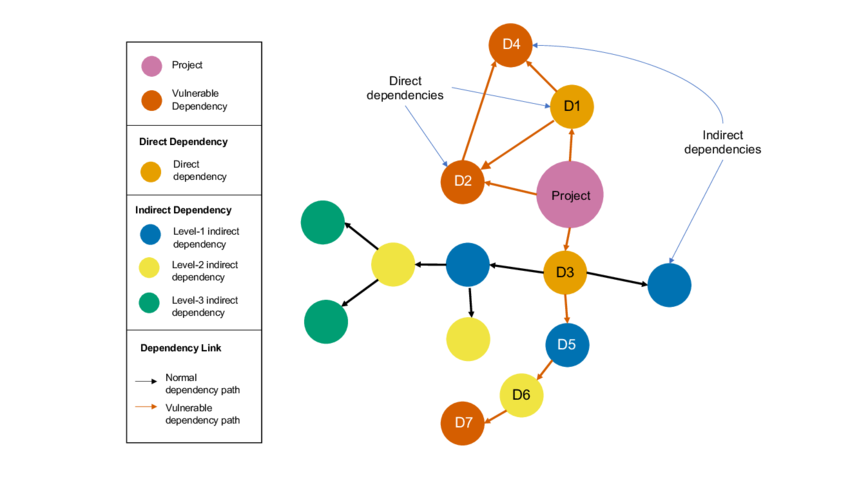
If you are considering the switch, the migration is usually straightforward, but you need to be prepared for the strictness. When I migrated a legacy Express.js application recently, the first pnpm install succeeded, but the app failed to start. It turned out we were relying on undeclared dependencies for years.
My approach to migration is:
- Delete
node_modulesand existing lockfiles. - Run
pnpm importto generate apnpm-lock.yamlfrom your existing lockfile (this helps preserve versions). - Run
pnpm install. - Try to build and run the app.
- If it fails with “module not found,” identify the missing dependency and add it to
package.jsonexplicitly.
You can also use pnpm install --shamefully-hoist as a temporary crutch. This flattens the node_modules structure similar to npm, effectively disabling the strictness checks. I use this only as a last resort when I need to get a project running immediately, but I always plan to remove it later to gain the full benefits of pnpm.
Why I Won’t Go Back
The JavaScript ecosystem is maturing. We are moving away from the “move fast and break things” era into a time where supply chain security, reproducibility, and efficiency are paramount. pnpm aligns perfectly with this shift. It treats dependency management as a serious engineering discipline rather than just a folder of zipped files.
I use pnpm because it respects my disk, it respects my time, and most importantly, it respects the security boundaries of my application. The tooling ecosystem is still catching up to some of its advanced features, but the trade-off is absolutely worth it. If you haven’t switched yet, you are running your projects on hard mode without even realizing it.



