Your Intro Animation Is Killing Your Conversion Rate
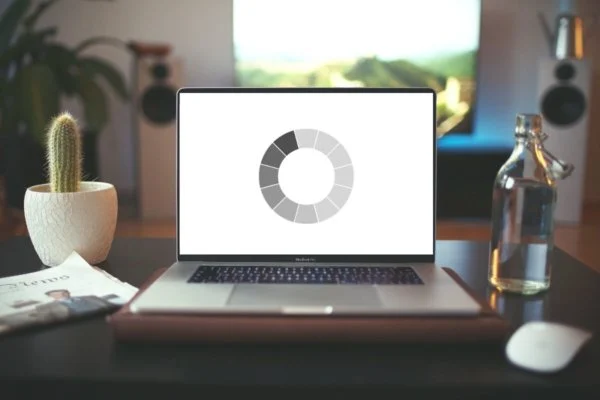
I clicked a link yesterday for a restaurant menu. Simple task, right? I just wanted to see if they had decent tacos. Instead of a menu, I got a black screen. Then a white line drew itself slowly across the center. Then the line expanded into a circle. Then the logo faded in. Then the words “Experience Taste” drifted up from the bottom.
By the time the actual navigation appeared, I was already back on Google looking for somewhere else to eat.
This happens constantly. It’s 2025, and for some reason, we’re still treating the web like it’s a Flash showcase from 2004. We have faster networks and better browsers, yet we’re bogging them down with “intro experiences” that nobody asked for. If your site doesn’t load usable content in three seconds, I’m gone. Most people are. We don’t have the attention span for your art project unless we specifically came there to see art.
Decoration is Dead Weight
There’s a massive difference between motion design and decoration. Functional animation helps the user understand what’s happening. It connects state A to state B. It hints that a drawer can be swiped away or that a button is processing a payment. That stuff is gold.
Ornamental animation—things that move just to look “premium”—is usually just friction. It’s a tax you’re charging your user’s CPU and battery life.
I audited a portfolio site last week that was getting terrible traffic retention. The culprit? A “smooth scroll” library that hijacked the native browser scrolling to add a “luxurious” inertia effect. It felt like scrolling through molasses. The dev thought it added polish; the users thought the site was broken.
If you’re going to animate, it needs to support the brand’s point, not just distract from it. If the motion doesn’t solve a problem, delete it.
The Performance Cost of “Wow”
Let’s talk technical debt. Browser rendering engines are smart, but they aren’t magic. When you animate properties like left, top, width, or margin, you are forcing the browser to calculate layout changes on every single frame. That triggers a “reflow.”
On your $3,000 MacBook Pro, it looks buttery smooth. On a mid-range Android device with a throttled CPU? It’s a slideshow.

I stick to the golden rule of composite-only properties: transform and opacity. These are handled by the GPU. The browser takes a picture of the element (a texture) and just moves or fades that texture around. No layout recalculation. No paint operations.
Here is the wrong way to expand a card on hover:
/* BAD: Triggers layout changes (reflow) */
.card {
  width: 300px;
  height: 200px;
  transition: width 0.3s ease;
}

.card:hover {
  width: 320px; /* The browser has to recalculate everything around this card */
}
And here is how I actually do it to keep things running at 60fps:
/* GOOD: GPU-accelerated, no layout thrashing */
.card {
  width: 300px;
  height: 200px;
  /* Prepare the browser for change */
  will-change: transform;
  transition: transform 0.3s cubic-bezier(0.4, 0.0, 0.2, 1);
}

.card:hover {
  transform: scale(1.05); /* Only changes the composite layer */
}
Notice the will-change property? Use it sparingly. It’s like telling the browser “Hey, keep this texture in memory because I’m gonna move it soon.” If you put will-change: all on everything, you’ll crash the mobile browser tab. I’ve seen it happen.
Respecting the User’s Brain (and Settings)
Motion sickness is real. Vestibular disorders are real. I have a friend who literally gets nauseous if a website has too much parallax scrolling. It’s not just an annoyance; it’s an accessibility barrier.
Operating systems have had a “Reduce Motion” setting for years now. If you aren’t respecting the prefers-reduced-motion media query, your site is hostile to a significant chunk of users.
It’s not hard to implement. You don’t have to kill all animation, just the big sweeping movements. Fade things in instead of flying them in.
@media (prefers-reduced-motion: reduce) {
  /* Nuke the scroll animations */
  *,
  *::before,
  *::after {
    animation-duration: 0.01s !important;
    animation-iteration-count: 1 !important;
    transition-duration: 0.01s !important;
    scroll-behavior: auto !important;
  }

  /* Or, provide a gentler alternative */
  .hero-text {
    /* Instead of sliding up 100px */
    transform: none !important;
    /* Just do a subtle opacity fade */
    opacity: 1;
    transition: opacity 0.5s ease;
  }
}
When Animation Actually Works
I’m not saying the web should be static. That would be boring. But use your motion budget on things that improve usability.
Micro-interactions are where you should spend your time. A subtle bounce when a user hits the end of a list? Helpful. A loading skeleton that pulses gently to show data is being fetched? Reassuring. A button that shrinks slightly when clicked? Tactile.
These things provide feedback. They answer the user’s subconscious question: “Did my click register?”
I recently worked on a checkout flow where users were confused about whether their discount code applied. We added a quick animation—the total price flashed green and the numbers rolled down to the new value. Support tickets about discount codes dropped by 40%. That is functional animation. It solved a business problem.
JavaScript vs. CSS
If you can do it in CSS, do it in CSS. The main thread is already busy parsing your megabytes of React hydration logic; don’t make it calculate animation frames too.
However, for complex, sequenced animations, CSS gets messy fast. You end up with “callback hell” but in stylesheets, chaining transition-delay values that break the moment you change one duration. For that, I still reach for GSAP (GreenSock) or Framer Motion if I’m in React land.
But be careful. Just because you can sequence 50 elements to stagger-fade onto the screen doesn’t mean you should. I usually cap staggers at 3-4 items max. Anything more and the user is just sitting there waiting for the UI to settle so they can actually click something.
Here is a simple React hook pattern I use to detect if an element is in view before animating it, keeping the DOM light:
import { useEffect, useRef, useState } from 'react';

const useInView = (options = {}) => {
  const ref = useRef(null);
  const [isInView, setIsInView] = useState(false);

  useEffect(() => {
    // If the browser doesn't support IntersectionObserver, just show content immediately
    if (!('IntersectionObserver' in window)) {
      setIsInView(true);
      return;
    }

    const observer = new IntersectionObserver(([entry]) => {
      // Once it's visible, keep it visible. Don't toggle it off when scrolling back up.
      // That's annoying.
      if (entry.isIntersecting) {
        setIsInView(true);
        observer.disconnect();
      }
    }, options);

    if (ref.current) {
      observer.observe(ref.current);
    }

    return () => {
      if (ref.current) observer.disconnect();
    };
  }, [options]);

  return [ref, isInView];
};
Core Web Vitals Don’t Care About Your Art
Google’s Core Web Vitals are the judge, jury, and executioner of your SEO ranking. Two metrics here get hammered by bad animation: LCP (Largest Contentful Paint) and CLS (Cumulative Layout Shift).
If your hero text is hidden with opacity: 0 waiting for a JS script to fade it in, your LCP score tanks. The browser sees the text is “painted” late. You are penalized for making the user wait.
Worse is CLS. If you animate a banner height open, pushing all the content down while the user is trying to read, that’s a layout shift. It’s annoying, and Google hates it. If you must expand something, reserve the space for it beforehand.
The Bottom Line
Look, I get it. We want our work to look good. We want to win Awwwards. But the average user isn’t a design juror. They are a person with a slow connection, a cracked phone screen, and about three seconds of patience.
Stop forcing them to watch your logo spin. Just give them the content.