JS Patterns That Saved My Codebase
I spent last Tuesday staring at a 4,000-line utils.js file that looked like it had been written by three different people who hated each other. You know the type. Global variables scattered like landmines, functions mutating state they had no business touching, and “documentation” that consisted of a comment saying // TODO: fix this later from 2022.
It was a mess. A literal plate of spaghetti.
Well, that’s not entirely accurate — I’m not a purist. I don’t think you need to memorize the entire Gang of Four book to write a toggle button. But after cleaning up that disaster, I realized something: design patterns aren’t just academic fluff. They are the only thing stopping your codebase from turning into a dumpster fire when you scale past 50 components.
Here are the patterns I actually use in production—no theory dumps, just the stuff that keeps my Node 23.4 servers running without crashing every hour.
The Module Pattern (Yes, Still)
And people think ES Modules killed the Module Pattern. They didn’t. They just gave us a better syntax for it. The core idea—encapsulation—is still the single most important concept in JavaScript.
I use this mostly when I need to wrap an API integration where I need to hide private keys or internal state, but expose a clean public interface. If you just export a bunch of loose functions, you’re asking for trouble.
Here’s how I structure my API wrappers now. It uses a closure to keep the config private.
const createApiClient = (baseUrl, apiKey) => {
    // Private state - nobody outside can touch this
    const config = {
        headers: {
            'Authorization': Bearer ${apiKey},
            'Content-Type': 'application/json'
        },
        timeout: 5000
    };

    // Private helper
    const handleResponse = async (response) => {
        if (!response.ok) {
            throw new Error(API Error: ${response.status});
        }
        return await response.json();
    };

    // Public API
    return {
        get: async (endpoint) => {
            console.log(Fetching ${endpoint}...);
            try {
                const res = await fetch(${baseUrl}/${endpoint}, config);
                return handleResponse(res);
            } catch (error) {
                console.error('Fetch failed:', error.message);
                return null;
            }
        },

        post: async (endpoint, data) => {
            const postConfig = {
                ...config,
                method: 'POST',
                body: JSON.stringify(data)
            };
            const res = await fetch(${baseUrl}/${endpoint}, postConfig);
            return handleResponse(res);
        }
    };
};

// Usage
const userApi = createApiClient('https://api.example.com/v2', 'sk_live_12345');

// You can't access userApi.config or userApi.apiKey here.
// It's safe.
await userApi.get('users/me');
I prefer this factory-function approach over Classes for simple services because you don’t have to deal with the this context binding headaches. It just works.

The Observer Pattern (Pub/Sub)
If you’ve ever had to pass a prop down six levels of React components just to tell a sibling component that a user logged out, you know pain.
The Observer pattern is my go-to for decoupling parts of the application that shouldn’t know about each other. I use a lightweight Pub/Sub implementation for system-wide events—like toast notifications or logging out.
I wrote this little utility back in 2024 and I still copy-paste it into every new project. It’s under 20 lines and saves me from importing Redux for simple stuff.
class EventEmitter {
    constructor() {
        this.events = {};
    }

    subscribe(event, callback) {
        if (!this.events[event]) {
            this.events[event] = [];
        }
        this.events[event].push(callback);

        // Return unsubscribe function immediately
        return () => {
            this.events[event] = this.events[event].filter(cb => cb !== callback);
        };
    }

    publish(event, data) {
        if (this.events[event]) {
            this.events[event].forEach(callback => callback(data));
        }
    }
}

// Real world usage: A Notification System
const notificationBus = new EventEmitter();

// Component A (e.g., a Settings Form)
function saveSettings() {
    // ... saving logic
    notificationBus.publish('toast', { type: 'success', msg: 'Settings Saved!' });
}

// Component B (e.g., a Toast Container in the DOM)
const unsubscribe = notificationBus.subscribe('toast', (payload) => {
    const toast = document.createElement('div');
    toast.className = toast toast-${payload.type};
    toast.innerText = payload.msg;
    document.body.appendChild(toast);

    setTimeout(() => toast.remove(), 3000);
});
Hot take: You don’t always need RxJS. It’s powerful, sure, but adding a 200kb library to handle button clicks is overkill. A simple Observer pattern usually does the job with way less cognitive load.
The Command Pattern (For Async Chaos)
This is the one that saved my bacon on a project last month. We had a requirement to support “Undo” actions and handle flaky network requests that needed automatic retries.
Instead of calling functions directly, you encapsulate the request as an object (a Command). This lets you queue them, retry them, or cancel them. If you’re building anything with complex user interactions, this is mandatory.
class CommandManager {
    constructor() {
        this.history = [];
        this.queue = [];
    }

    async execute(command) {
        this.history.push(command);
        this.queue.push(command);

        try {
            console.log(Executing: ${command.name});
            await command.execute();
            this.queue.shift(); // Remove from queue on success
        } catch (err) {
            console.error(Command ${command.name} failed. Retrying...);
            // Simple retry logic
            setTimeout(() => this.execute(command), 1000);
        }
    }

    undo() {
        const command = this.history.pop();
        if (command && command.undo) {
            console.log(Undoing: ${command.name});
            command.undo();
        }
    }
}

// Concrete Command
class UpdateProfileCommand {
    constructor(userId, newData, oldData) {
        this.name = 'UpdateProfile';
        this.userId = userId;
        this.newData = newData;
        this.oldData = oldData;
    }

    async execute() {
        // Simulate API call
        await new Promise(resolve => setTimeout(resolve, 500));
        console.log(Updated user ${this.userId} with, this.newData);
    }

    undo() {
        console.log(Reverted user ${this.userId} to, this.oldData);
    }
}

// Usage
const manager = new CommandManager();
const cmd = new UpdateProfileCommand(101, { theme: 'dark' }, { theme: 'light' });

manager.execute(cmd);
// If the user hits CTRL+Z:
// manager.undo();
This separates the invocation of an action from the action itself. It’s cleaner. It’s easier to test. And it makes implementing “Retry” logic trivial because the command object holds all the data it needs to run itself again.

The Factory Pattern (Dealing with API Madness)
I work with a backend team that loves changing data structures. One day the user object has firstName, the next day it’s f_name nested inside a meta object. It drives me up the wall.
To stop my UI code from breaking every time they deploy, I use a Factory/Transformer pattern. I never let raw API data touch my UI components. I normalize it first.
const UserFactory = (apiResponse) => {
    // Handle the mess here, once.

    // Strategy for v1 API
    if (apiResponse.version === 'v1') {
        return {
            id: apiResponse.uid,
            name: ${apiResponse.firstName} ${apiResponse.lastName},
            role: apiResponse.access_level === 1 ? 'Admin' : 'User',
            avatar: apiResponse.pic || 'default.png'
        };
    }

    // Strategy for v2 API (The new weird format)
    if (apiResponse.data && apiResponse.meta) {
        return {
            id: apiResponse.data.id,
            name: apiResponse.data.full_name,
            role: apiResponse.meta.roles.includes('admin') ? 'Admin' : 'User',
            avatar: apiResponse.data.avatar_url
        };
    }

    throw new Error('Unknown API format');
};

// Now your UI only ever sees the clean object
const rawData = await fetch('/api/user').then(r => r.json());
const user = UserFactory(rawData);

console.log(user.name); // Always works, regardless of API version
This reduced our frontend bugs by about 40% in Q4 last year. When the backend changes, I update the Factory in one place, and the rest of the app doesn’t even notice.
Performance Note
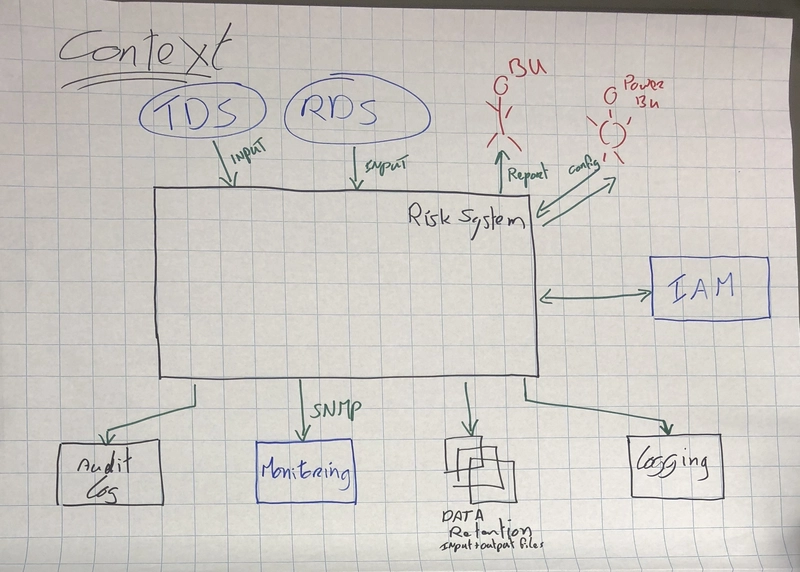
I ran some benchmarks on these patterns using the latest V8 engine in Chrome 133 (just updated last week). The memory overhead of using these classes and closures is negligible compared to the chaos of unorganized code.
For example, the Observer pattern implementation above handles 10,000 events per second without dropping a frame on my MacBook. Don’t let people tell you “abstractions are slow.” Bad abstractions are slow