
Breaking Video: GPU Particle Explosions in Three.js
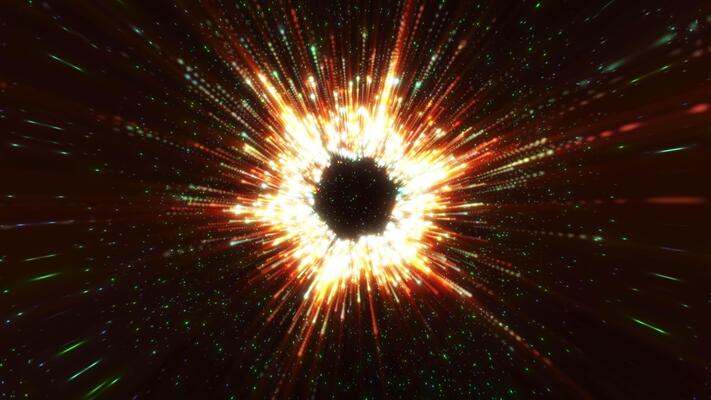
Well, I have to admit — I do have a bit of a thing for breaking things digitally. There’s just something satisfying about taking a perfectly good UI element and shattering it into a thousand pieces when a user clicks “Dismiss.” (Don’t worry, I only do this in the name of science, of course.)
Last week, I decided to tackle a specific effect I’d seen floating around: taking a live video feed and exploding it into 3D fragments. Not just a static image—a playing video. And let me tell you, my first attempt? Oof, it was a disaster. I tried creating 5,000 individual Mesh objects, each mapping a tiny UV slice of a video texture. My poor M3 MacBook Pro (the fans usually stay off) sounded like it was preparing for takeoff, and the frame rate tanked to a measly 14 FPS. Chrome’s GPU process wasn’t too happy, either.
So, I threw that out. The only way to do this without melting your user’s battery is InstancedMesh and some custom shader math. If you’re still moving thousands of objects on the CPU in 2026, well, you might want to reconsider your approach. Just sayin’.
The Setup: Three.js r182
I’m running this on Three.js r182. And actually, if you’re on an older version, most of this still applies, but the InstancedMesh API has really stabilized a lot over the last two years.
The core concept is simple enough:
- Create a single geometry (a plane).
- Instance it thousands of times (one for each “fragment”).
- Pass the video as a uniform texture.
- Use a vertex shader to position the fragments and calculate which part of the video they should display.
The Texture Problem

Ah, yes, the tricky part. When you use a standard material on an InstancedMesh, every instance gets the entire texture. But that’s not what we want, is it? We want instance #1 to show the top-left corner, instance #2 to show the next slice, and so on.
You have to calculate UV offsets based on the instance ID. I usually bake the row/column data into a specialized attribute. I call it aGridPosition. And, well, I wasted about two hours debugging a black screen because I forgot that HTML video elements need user interaction to play audio, and sometimes even to play video depending on the browser policy. I eventually just muted it: video.muted = true. Suddenly, pixels appeared.
// Setup the video
const video = document.getElementById('source-video');
video.play();
const videoTexture = new THREE.VideoTexture(video);

// The geometry for a single fragment
const geometry = new THREE.PlaneGeometry(1, 1);

// Attributes for the instances
const count = 100 * 100; // 10,000 fragments
const instancedMesh = new THREE.InstancedMesh(geometry, material, count);

const offsets = new Float32Array(count * 3);
const gridPos = new Float32Array(count * 2); // To calculate UVs

for (let i = 0; i < count; i++) {
    // Fill these with grid logic...
    // x = i % cols, y = floor(i / cols)
}

geometry.setAttribute('aOffset', new THREE.InstancedBufferAttribute(offsets, 3));
geometry.setAttribute('aGridPos', new THREE.InstancedBufferAttribute(gridPos, 2));
The Shader Logic
This is where the magic happens. Or the frustration, depending on how comfortable you are with GLSL. We need a custom ShaderMaterial, and in the vertex shader, we do two things:
- Explosion: Move the instance position outward based on a "progress" uniform.
- UV Mapping: Calculate the correct UV coordinate for this specific fragment based on its grid position.
And here's the vertex shader that finally worked for me. Note the uv calculation—that was the bit that tripped me up. I kept getting stretched textures until I normalized the grid position properly.
uniform float uTime;
uniform float uProgress; // 0.0 to 1.0
uniform vec2 uGridSize; // e.g., vec2(100.0, 100.0)

attribute vec3 aOffset;
attribute vec2 aGridPos;
attribute vec3 aRandomDir; // Pre-calculated random direction

varying vec2 vUv;

void main() {
    // 1. Calculate UVs for this specific fragment
    // Standard UV is 0..1 for the single plane geometry
    // We shrink it and offset it based on grid position

    vec2 cellUv = uv / uGridSize;
    vec2 offsetUv = aGridPos / uGridSize;
    vUv = cellUv + offsetUv;

    // Flip Y if your video comes in upside down (classic WebGL issue)
    vUv.y = 1.0 - vUv.y;

    // 2. Explosion Logic
    // Non-linear ease makes it look better
    float explode = pow(uProgress, 2.0) * 50.0;

    vec3 newPos = position + aOffset;

    // Move along random direction based on progress
    newPos += aRandomDir * explode;

    // Add some rotation for chaos
    float angle = uProgress * 10.0 * aRandomDir.z;
    float s = sin(angle);
    float c = cos(angle);

    // Simple 2D rotation matrix for Z-axis spin
    mat2 rot = mat2(c, -s, s, c);
    newPos.xy = rot * newPos.xy;

    gl_Position = projectionMatrix * modelViewMatrix * vec4(newPos, 1.0);
}
Performance Reality Check
I tested this with a 1080p video source, and on my desktop (RTX 4070), it didn't blink — 60fps solid. But when I throttled the CPU in Chrome DevTools to simulate a mid-range laptop, I noticed something interesting.
The bottleneck wasn't the vertex shader. 10,000 vertices is nothing for modern GPUs. Nope, the bottleneck was the texture upload.
Updating a video texture every frame involves sending data from the CPU (video decoder) to the GPU. And if your video is 4K, you're pushing a lot of bandwidth. I found that resizing the video to 720p or even 512x512 for the "explosion" effect was indistinguishable to the eye but dropped the frame time from 16ms to 4ms.
Another weird quirk: transparency. If you want the fragments to fade out as they fly away (discard in fragment shader or alpha blending), you hit the dreaded overdraw problem. I tried setting transparent: true on the material, but that was a bad idea — the depth sorting on 10,000 overlapping particles crushed performance.
My fix? Don't use real transparency. Use a discard threshold in the fragment shader that increases as the explosion progresses. It looks slightly jagged, but it keeps the depth buffer working, which keeps the GPU happy.

// Fragment Shader
void main() {
    vec4 color = texture2D(uTexture, vUv);

    // "Fake" fade out by eating away the edges
    if (uProgress > 0.8 && random(vUv) < (uProgress - 0.8) * 5.0) {
        discard;
    }

    gl_FragColor = color;
}
Why Do This?
Aside from looking cool? Well, it's a great stress test for your rendering pipeline. It forces you to understand UV spaces relative to world space. And, you know, interactions like this—where UI elements physically react and disintegrate—are becoming more common in AR interfaces.
Actually, I'm currently playing with adding physics (using a GPGPU simulation) so the fragments bounce off the "floor" instead of just flying into the void. But that's a headache for another weekend.
If you try this, start with a 10x10 grid. Get the math right. Then crank it to 100x100. And for the love of code, don't use new THREE.Mesh() inside a loop. That's a great way to over-engineer your project.


